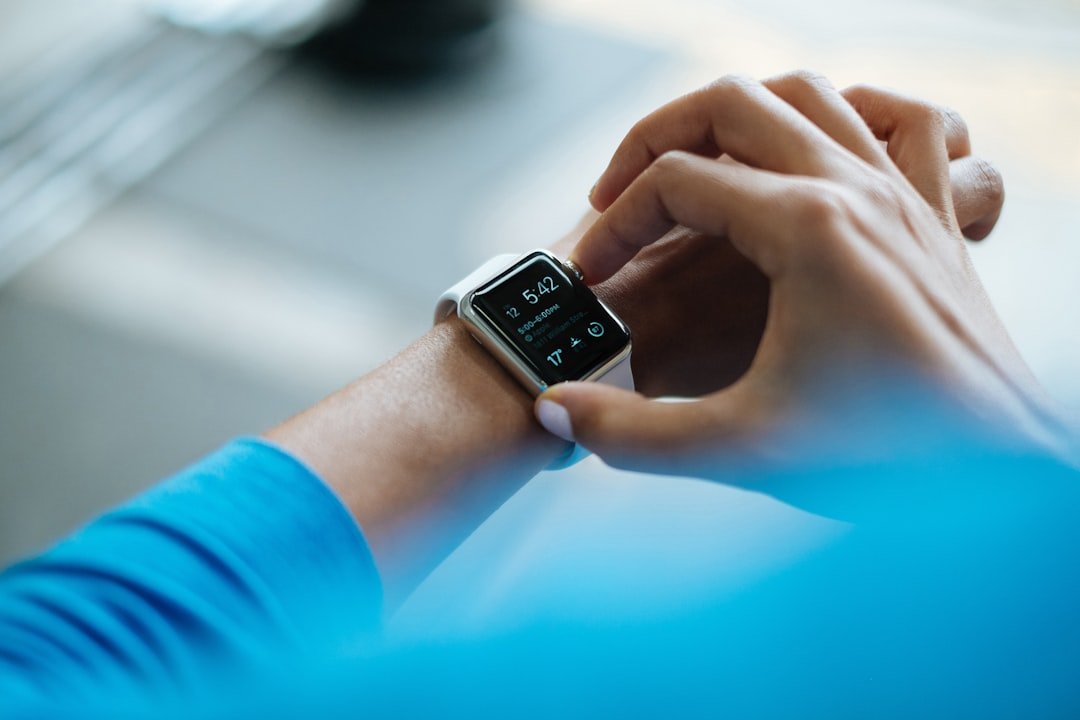
Fitness trackers can transform how you move, train, and recover—but only if you understand what they measure and how to use that data. This guide breaks down the essentials for beginners so you can choose a device, set realistic activity goals, and make tracking part of a sustainable routine.
Practical, simple, and evidence-informed, the steps below will help you avoid common mistakes and get consistent, actionable feedback from your tracker.
What is a fitness tracker and what does it measure?
At its core, a fitness tracker is a wearable sensor system that records movement, heart signals, location, or a mix of these to quantify activity. Some devices are basic step counters; others are full-featured wrist-worn units that log GPS routes, pace, sleep stages, and load. If you plan to run routes or train for distance, consider models from the dedicated running category like GPS Running Watches, which combine satellite tracking with pace and interval features for more accurate distance and speed data.
Key metrics beginners should track
Start with a short list of meaningful measures you can reliably interpret:
- Steps and active minutes — general daily movement.
- Heart rate — exercise intensity and recovery trends.
- Distance and pace — important for walking, running, cycling.
- Sleep quality — recovery and readiness to train.
For monitoring intensity, look for devices or accessories listed under Heart Rate Monitors. They give more consistent heart-rate data than motion-only algorithms, which helps you set sensible intensity goals and avoid overreaching.
Setting realistic activity goals
Good goals are specific, measurable, and time-bound. Examples:
- Walk 7,000–9,000 steps most days for two weeks.
- Build to 30 minutes of moderate activity, three times per week.
- Complete two strength sessions and one longer aerobic session weekly.
If you want a simple, low-tech start, a reliable step counter can help you track progress without overcomplicating things—browse options under Digital Pedometers. Pedometers are straightforward, motivating, and useful for people who just need a nudge toward more daily movement.
Choosing the right tracker for your routine
Match the device to the activities you do and the data you value. Runners and triathletes usually want GPS, cadence, and advanced training metrics; casual walkers may prefer long battery life and a simple display.
If you’re ready to invest in a premium, multisport device with advanced features (maps, recovery metrics, and triathlon modes), consider dedicated models such as the Garmin® Forerunner® 970, Premium GPS Running and Triathlon Smartwatch. It’s a good example of what top-tier GPS watches can offer—if you need those features, they’re worth the price; if you don’t, a simpler tracker will save money and reduce complexity.
How to interpret data and avoid common pitfalls
Data without context can mislead. Watch for these traps:
- Obsession over single-day numbers. Look at week-to-week trends instead of daily highs and lows.
- Confusing correlation with causation—higher heart rate could mean fitness gains or extra stress/fatigue.
- Assuming calorie estimates are precise. They’re useful for trend tracking but not exact measures for dieting decisions.
If you track oxygen saturation or specialized vitals, use reliable tools like the Wellue O2Ring Pulse Oximter, Bluetooth for consistent readings. Be cautious interpreting advanced metrics—use them as signals to adjust training, not as definitive diagnoses.
Integrating trackers with workouts and recovery
Use your tracker to plan progressive overload (gradual increases in duration or intensity) and to guard recovery. Trackers can prompt rest days when stress or sleep metrics are poor. Pair tracking with recovery tools to speed return-to-training: for muscle tightness after sessions, a structured self-care routine with tools such as the TriggerPoint Grid 1.0 Foam Roller can relieve soreness and improve mobility.
Everyday tips to make trackers stick
Small habit changes lead to big results. Try these practical strategies:
- Charge the device at a consistent time (e.g., while showering) so it’s always ready.
- Create micro-goals (two 10-minute walks daily) rather than intimidating hour-long blocks.
- Choose comfortable carry or wear solutions—if you run, a reliable belt or pack keeps the device secure. See options like Running Waist Belts for hands-free carrying during movement.
Checklist: Quick setup and first-month plan
- Charge and update firmware before first use.
- Enter accurate personal data (age, weight, resting heart rate).
- Set one weekly step or active-minute goal, and one strength session per week.
- Log workouts and note perceived effort to compare with heart-rate zones.
- Introduce light incidental movement—an under-desk option like the Cubii Move – Under Desk Elliptical can help reduce sedentary time if you sit a lot.
Conclusion: A simple practical takeaway
Start small: pick one or two metrics, choose a device that fits those needs, and focus on consistent weekly progress rather than daily perfection. Use trackers as tools to inform sensible adjustments to activity and recovery—paired with a few recovery tools and consistent habits, they’ll help you build a sustainable fitness routine.
FAQ
- Q: Which metric should I track first?
A: Steps or active minutes—simple, reliable, and motivating for beginners. - Q: Do I need GPS to get fitter?
A: Not necessarily. GPS is useful for accurate distance and pace, but many people improve fitness with step goals, interval sessions, and strength work without GPS. - Q: How often should I check my data?
A: Check daily for adherence, but focus on weekly trends to guide training decisions. - Q: My heart rate seems high—what should I do?
A: Compare with sleep, stress, and recent training load. If high readings persist and affect performance, reduce intensity and prioritize recovery; consult a healthcare professional for unexpected or worrying symptoms. - Q: Can a tracker replace coaching?
A: No. A tracker provides data; a coach interprets it in context. Use your device to inform decisions or to share objective trends with a coach.
Products Featured in This Article
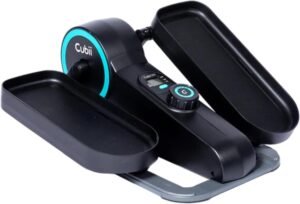
Cubii Move – Under Desk Ellip…
Product description The video showcases the product in use.The video guides you through product setup.The video…
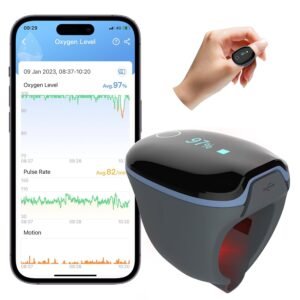
Wellue O2Ring Pulse Oximter, Blueto…
From the brand Power Your Health We are dedicated to developing products with high-precision but consumer…
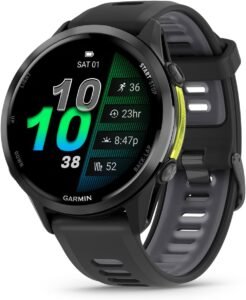
Garmin® Forerunner® 970, Premium …
For performance-driven runners, there’s Forerunner® 970 — the premium GPS running and triathlon smartwatch with our…
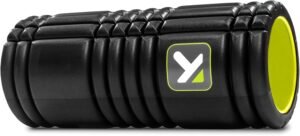
TriggerPoint Grid 1.0 Foam Roller &…
Whether you’re an athlete, an exercise junkie, or simply looking to relieve muscle pain, step up…